
How this comes up in practice
A carrier wants to file an NCCDB complaint the same afternoon a payment dispute appears. The file has an invoice and a POD photo, but not the signed rate confirmation, broker MC number lookup, email sequence, or written payment demand. The complaint form may still be available, but the report will be stronger if the carrier first organizes the facts around NCCDB's eligible categories. That means saving the official broker record, naming the transaction, attaching dated documents, and explaining what outcome is being reported without overstating what the database can do. NCCDB is a complaint channel, not a substitute for a complete dispute file.
What NCCDB accepts, what it doesn't, and what a complaint actually produces
NCCDB — the National Consumer Complaint Database — is FMCSA's complaint and tracking system for eligible complaints against motor carriers, brokers, and related entities. Filing creates an official record FMCSA can review. It is not a payment enforcement mechanism, not an arbitration service, and not a guarantee of regulatory action. What it does is contribute to FMCSA's visibility into patterns of conduct across the regulated community. For adjacent verification steps, compare this with How to Report Freight Fraud, FMCSA Broker and Carrier Fraud Guide, and What to Do If a Broker Does Not Pay.
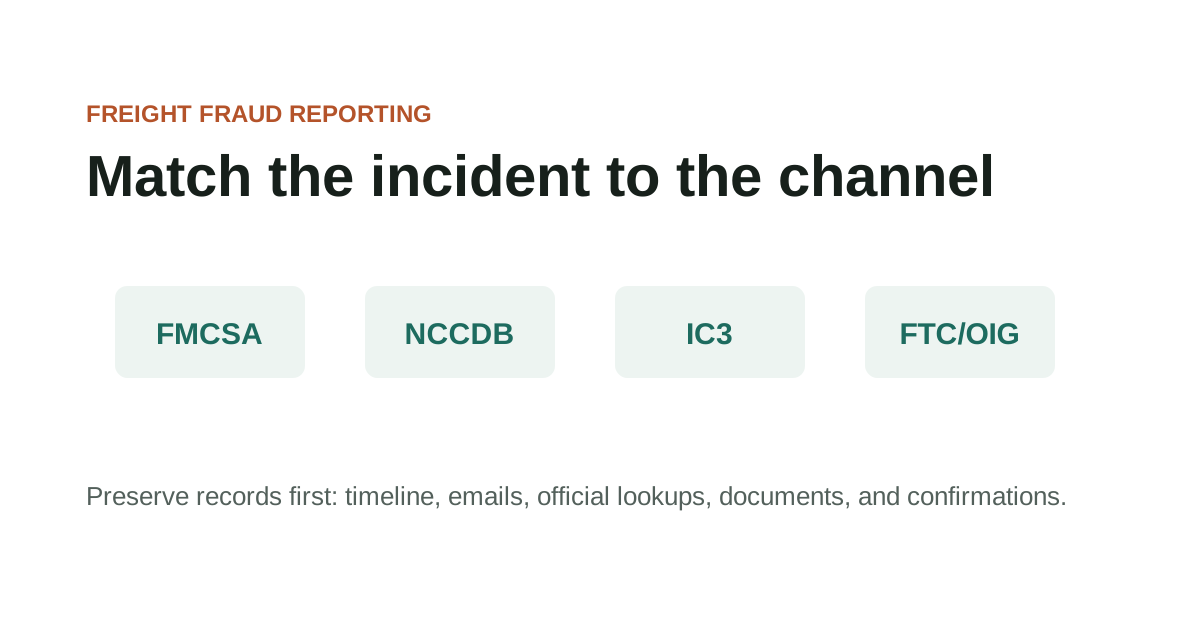
The eligible complaint categories are specific: NCCDB handles complaints within FMCSA's jurisdiction — broker and carrier conduct in regulated freight transactions. It doesn't handle every payment dispute or commercial disagreement between freight parties. Understanding which complaints are eligible before filing determines whether NCCDB is the right channel, or whether IC3, FTC, DOT OIG, or legal counsel applies more directly to the specific situation.
Preparing the complaint file before opening the NCCDB form produces a more complete submission. The records that give a complaint substance — rate confirmation, carrier packet, official lookup screenshots with dates, communications showing what happened and when — are the same records every other process depends on. Building the file once, before any process begins, is more efficient than assembling different documents for each channel in sequence.
Key Takeaways
- Use the official domain directly when checking records or filing reports.
- Save the source page URL and access date with your case notes.
- Check the official FMCSA page for current status before relying on a record.
- Keep copies of complaint confirmations, report numbers, and supporting documents.
Preparing a complaint file before filing through NCCDB
The NCCDB is FMCSA's official portal for complaints involving motor carrier safety, broker conduct, and registration-related issues. Before filing, the eligible complaint categories are worth reviewing — the NCCDB is not a general fraud reporting system, and complaints outside its defined scope won't be processed through the same review pathway.
A filed NCCDB complaint is not a collection mechanism and doesn't guarantee regulatory action. It creates a record that FMCSA can review, and that record may appear in the complaint search tool — subject to the significant non-endorsement limitations NCCDB itself states on that page. What the complaint does provide is an official documentation channel for eligible issues.
Preparing a complaint file before filing through NCCDB checklist
- Whether the complaint type falls within FMCSA's eligible complaint categories
- Whether documentation for the complaint is organized before filing — the form asks for specific records
- Whether the MC or USDOT number has been confirmed in official records before entry
- Whether the complaint search results page and its stated limitations have been reviewed
- Whether a copy of the completed complaint and any confirmation number has been saved
Records to organize before submitting an NCCDB complaint
Official-resource pages are entry points, not substitutes for checking the live source. In this guide, that starts with complaint categories, records, contact details, and jurisdiction boundaries.
Record the exact URL, lookup date, and field you relied on so later reviewers can see what the source showed at the time. Keep the question practical: what changed, who introduced it, and which dated record can be saved before anyone acts on it.
Records to organize before submitting an NCCDB complaint checklist
- Use the official domain directly when checking records or filing reports.
- Save the source page URL and access date with your case notes.
- Check the official FMCSA page for current status before relying on a record.
- Keep copies of complaint confirmations, report numbers, and supporting documents.
What to preserve from the complaint submission process
For fmcsa nccdb complaint guide, the useful record is usually the one that shows where complaint categories, records, contact details, and jurisdiction boundaries first entered the file.
That record is stronger when it sits beside the dated lookup, the original message, and a note from the official source or reporting channel. It is weaker when it has been renamed, cropped, forwarded without headers, or separated from the transaction timeline.
What to preserve from the complaint submission process checklist
- Record the name, number, document field, contact path, or instruction tied to complaint categories, records, contact details, and jurisdiction boundaries.
- Keep the original file or message before saving a marked-up copy.
- Add the source URL, access date, sender identity, and who confirmed or contradicted the detail.
Questions that establish whether NCCDB is the right channel
Hold the lookup, complaint, or reporting decision when the file depends on a new contact path, revised document, missing official record, or mismatch that no one has explained.
The pause should be narrow and written down: the field that does not line up, the source used to check it, and the person or channel that must answer before the work continues.
Questions that establish whether NCCDB is the right channel checklist
- Name the exact field or instruction that does not line up.
- Save the document version or message that introduced the mismatch.
- Check the official or independently known source before using the new detail.
- Record the confirmation result before continuing.
What an NCCDB complaint doesn't substitute for in a private dispute
When using official channels, preserve both the source page and the transaction records that made the lookup necessary. In this guide, that starts with complaint categories, records, contact details, and jurisdiction boundaries.
For reporting portals, keep confirmation numbers and copies of what was submitted. Keep the question practical: what changed, who introduced it, and which dated record can be saved before anyone acts on it.
What an NCCDB complaint doesn't substitute for in a private dispute checklist
- Official source URL and access date
- Lookup screenshot or saved PDF
- Transaction timeline
- Supporting emails, documents, and call notes
- Complaint or report confirmation
When the documentation and incident type qualify for NCCDB filing
Official-source questions should match the incident type to the right record or reporting channel. In this guide, that starts with complaint categories, records, contact details, and jurisdiction boundaries.
If a source has limits, note those limits rather than stretching the record beyond what it can show. Keep the question practical: what changed, who introduced it, and which dated record can be saved before anyone acts on it.
When the documentation and incident type qualify for NCCDB filing checklist
- Which official source answers this specific question?
- What field or status was checked?
- Does the source warn about data timing or scope?
- Which channel fits the incident type?
Further NCCDB complaint context
Official records can lag, omit context, or show only a narrow regulatory fact. In this guide, that starts with complaint categories, records, contact details, and jurisdiction boundaries.
Use official resources as evidence of what the source says, not as certification that a private transaction is ready to rely on. Keep the question practical: what changed, who introduced it, and which dated record can be saved before anyone acts on it.
Further NCCDB complaint context checklist
- Do not assume a current record proves sender authorization.
- Do not assume one portal handles every incident type.
- Do not rely on copied screenshots without checking the source.
- Do not treat a third-party summary as the official page.
When to use this channel versus another
Escalate when the official source points to a complaint path, reporting portal, or professional channel outside this site's scope. In this guide, that starts with complaint categories, records, contact details, and jurisdiction boundaries.
Keep the source result with the transaction file so the next step is based on dated records. Keep the question practical: what changed, who introduced it, and which dated record can be saved before anyone acts on it.
When to use this channel versus another checklist
- The source record conflicts with transaction documents.
- The incident fits an official complaint or cybercrime channel.
- A registration, identity, or authority issue may affect current operations.
- The page has changed and the old guidance may no longer apply.
Source Notes
Source context for FMCSA NCCDB Complaint Guide
For official-resource topics, navigate directly to the official federal domain — fmcsa.dot.gov, ic3.gov, ftc.gov, oig.dot.gov — rather than through search results or third-party links. Federal .gov domains require federal authorization to register and cannot be duplicated. These sources are used here as verification and reporting references, not as legal or regulatory advice.
FAQ
What happens after I file an NCCDB complaint?
FMCSA reviews eligible complaints and may take regulatory action, but NCCDB is not a direct dispute resolution service and does not guarantee a specific outcome for private payment or cargo disputes. Save the confirmation and any case number with your load documentation.
Can I search for complaints filed against a specific broker before working with them?
The NCCDB search tool at ai.fmcsa.dot.gov/nccdb allows searching by MC or USDOT number. The search results come with significant limitations stated on the NCCDB page itself — results are not an endorsement or certification of any company, and not all complaints produce visible public records.
What if my situation doesn't fit neatly into the NCCDB eligible complaint categories?
File with the channel most closely matching your situation, or contact FMCSA directly to ask about the right process. If there's a cyber-enabled element — email spoofing, account takeover — IC3 may be the more appropriate primary channel regardless of NCCDB eligibility. FMCSA's eligible complaint page describes the types of matters NCCDB is designed to handle.
Source References
- National Consumer Complaint Database Federal Motor Carrier Safety Administration. primary source. Last checked 2026-05-28. Official FMCSA complaint portal for eligible motor carrier, broker, safety, and registration-related issues.
- Eligible Complaints Federal Motor Carrier Safety Administration. primary source. Last checked 2026-05-28. Explains eligible FMCSA complaint categories and jurisdiction boundaries.