
How this comes up in practice
A spoofed email changes payment instructions on three invoices. The carrier first thinks of FMCSA because the transaction is freight-related, but the key event is cyber-enabled: a lookalike domain and a banking change. IC3 may be the better fit for the email and domain evidence, while FMCSA or NCCDB may still matter if a regulated carrier or broker complaint is involved. The practical work is not choosing one agency by instinct. It is separating the incident into parts, saving headers and domain records for the cyber portion, saving rate confirmations and invoices for the freight portion, and keeping each report confirmation number in the same file.
Why different fraud types route to different official channels
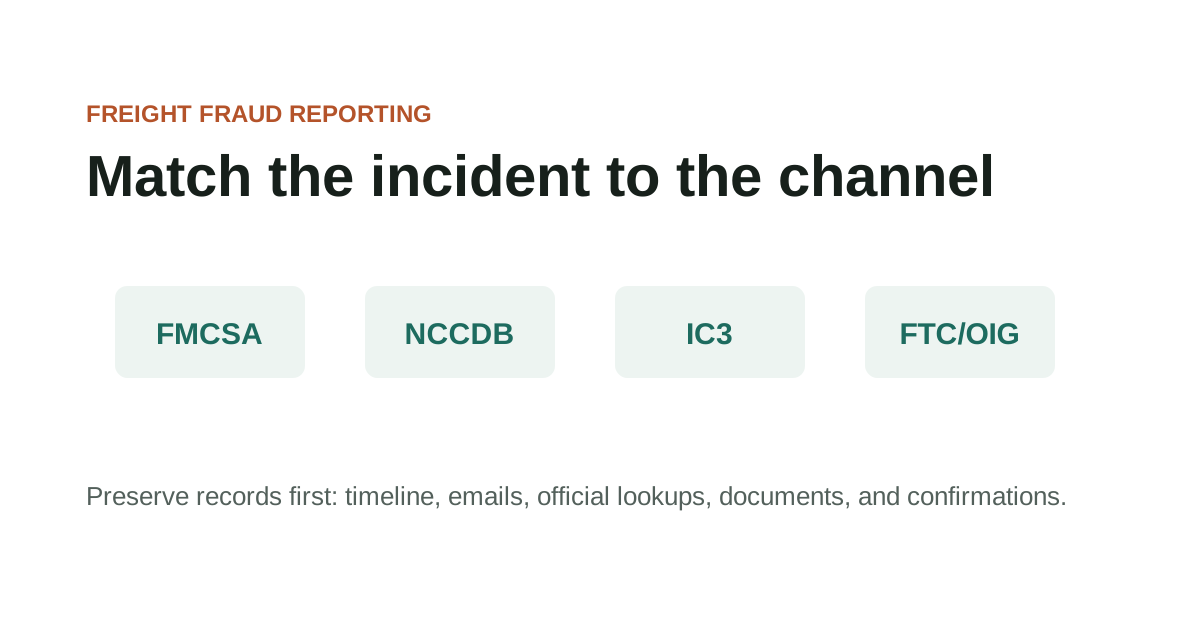
The four reporting channels in this guide handle different incident types. IC3 handles cyber-enabled crime — email spoofing, account takeover, domain lookalikes, business email compromise. FTC handles consumer fraud and deceptive business practices. DOT OIG handles allegations involving DOT programs, federal funds, or FMCSA as a regulator. NCCDB handles FMCSA-jurisdictional complaints about regulated carrier and broker conduct. Filing with the wrong channel doesn't make a report useless, but it means the agency receiving it may lack jurisdiction to act on the specific conduct reported. For adjacent verification steps, compare this with How to Report Freight Fraud, Email Spoofing in Load Boards, and What to Do After Cargo Theft.
Many freight fraud incidents involve elements that apply to more than one channel. An email spoofing incident that resulted in payment redirection may involve IC3 for the cyber-enabled element, FTC for the deceptive practice, and NCCDB if a regulated entity's credentials were misused. Filing separately with each applicable channel is appropriate — the agencies don't require coordination between reporters.
The documentation that makes one report actionable makes all of them actionable. Email headers, official lookup screenshots, the rate confirmation, carrier packet, and a timeline of communications — organized before any form is opened — give each channel the material it needs to evaluate the incident. Filing a day later with complete documentation produces a more useful report than filing immediately with an incomplete file.
Key Takeaways
- Use the official domain directly when checking records or filing reports.
- Save the source page URL and access date with your case notes.
- Check the official FMCSA page for current status before relying on a record.
- Keep copies of complaint confirmations, report numbers, and supporting documents.
Matching the incident type to the right official reporting channel
FTC, FBI IC3, and DOT OIG each serve distinct reporting functions. Filing in the wrong place doesn't make the report useless, but it may mean the incident goes to an agency that can't act on it in the way you intended. Selecting the right channel comes down to what type of incident occurred, not which agency is most well-known.
Cyber-enabled freight fraud — spoofed emails, fake portals, business email compromise routing payments to a fraudulent account — belongs at IC3. Fraud involving an FMCSA-regulated entity's authority, registration, or broker conduct belongs at NCCDB. Broader consumer deception patterns or identity theft go to FTC. Allegations involving DOT programs, federal funds, or FMCSA in its regulatory role go to DOT OIG.
Matching the incident type to the right official reporting channel checklist
- Whether a cyber-enabled element — email spoofing, fake domain, account takeover — makes IC3 the primary channel
- Whether the regulated entity's FMCSA status makes NCCDB a more appropriate or concurrent channel
- Whether the incident has a consumer-facing or broader deceptive-practice element suited for FTC reporting
- Whether any DOT program, federal funds, or FMCSA regulatory conduct connection makes DOT OIG relevant
- Whether documentation supports the specific field requirements in the chosen channel's reporting form
Records to organize before using any of these reporting portals
Official-resource pages are entry points, not substitutes for checking the live source. In this guide, that starts with matching incident facts to official reporting portals and preserving copies.
Record the exact URL, lookup date, and field you relied on so later reviewers can see what the source showed at the time. Keep the question practical: what changed, who introduced it, and which dated record can be saved before anyone acts on it.
Records to organize before using any of these reporting portals checklist
- Use the official domain directly when checking records or filing reports.
- Save the source page URL and access date with your case notes.
- Check the official FMCSA page for current status before relying on a record.
- Keep copies of complaint confirmations, report numbers, and supporting documents.
What to preserve from each official report submission
For ftc / fbi ic3 / oig reporting checklist, the useful record is usually the one that shows where matching incident facts to official reporting portals and preserving copies first entered the file.
That record is stronger when it sits beside the dated lookup, the original message, and a note from the official source or reporting channel. It is weaker when it has been renamed, cropped, forwarded without headers, or separated from the transaction timeline.
What to preserve from each official report submission checklist
- Record the name, number, document field, contact path, or instruction tied to matching incident facts to official reporting portals and preserving copies.
- Keep the original file or message before saving a marked-up copy.
- Add the source URL, access date, sender identity, and who confirmed or contradicted the detail.
Questions that identify which channel handles the specific incident
Hold the lookup, complaint, or reporting decision when the file depends on a new contact path, revised document, missing official record, or mismatch that no one has explained.
The pause should be narrow and written down: the field that does not line up, the source used to check it, and the person or channel that must answer before the work continues.
Questions that identify which channel handles the specific incident checklist
- Name the exact field or instruction that does not line up.
- Save the document version or message that introduced the mismatch.
- Check the official or independently known source before using the new detail.
- Record the confirmation result before continuing.
What filing with one channel accomplishes versus what it can't
When using official channels, preserve both the source page and the transaction records that made the lookup necessary. In this guide, that starts with matching incident facts to official reporting portals and preserving copies.
For reporting portals, keep confirmation numbers and copies of what was submitted. Keep the question practical: what changed, who introduced it, and which dated record can be saved before anyone acts on it.
What filing with one channel accomplishes versus what it can't checklist
- Official source URL and access date
- Lookup screenshot or saved PDF
- Transaction timeline
- Supporting emails, documents, and call notes
- Complaint or report confirmation
When the file supports filing with more than one channel
Official-source questions should match the incident type to the right record or reporting channel. In this guide, that starts with matching incident facts to official reporting portals and preserving copies.
If a source has limits, note those limits rather than stretching the record beyond what it can show. Keep the question practical: what changed, who introduced it, and which dated record can be saved before anyone acts on it.
When the file supports filing with more than one channel checklist
- Which official source answers this specific question?
- What field or status was checked?
- Does the source warn about data timing or scope?
- Which channel fits the incident type?
Further reporting channel context
Official records can lag, omit context, or show only a narrow regulatory fact. In this guide, that starts with matching incident facts to official reporting portals and preserving copies.
Use official resources as evidence of what the source says, not as certification that a private transaction is ready to rely on. Keep the question practical: what changed, who introduced it, and which dated record can be saved before anyone acts on it.
Further reporting channel context checklist
- Do not assume a current record proves sender authorization.
- Do not assume one portal handles every incident type.
- Do not rely on copied screenshots without checking the source.
- Do not treat a third-party summary as the official page.
When to use this channel versus another
Escalate when the official source points to a complaint path, reporting portal, or professional channel outside this site's scope. In this guide, that starts with matching incident facts to official reporting portals and preserving copies.
Keep the source result with the transaction file so the next step is based on dated records. Keep the question practical: what changed, who introduced it, and which dated record can be saved before anyone acts on it.
When to use this channel versus another checklist
- The source record conflicts with transaction documents.
- The incident fits an official complaint or cybercrime channel.
- A registration, identity, or authority issue may affect current operations.
- The page has changed and the old guidance may no longer apply.
Source Notes
Source context for FTC / FBI IC3 / OIG Reporting Checklist
For official-resource topics, navigate directly to the official federal domain — fmcsa.dot.gov, ic3.gov, ftc.gov, oig.dot.gov — rather than through search results or third-party links. Federal .gov domains require federal authorization to register and cannot be duplicated. These sources are used here as verification and reporting references, not as legal or regulatory advice.
FAQ
Can I file the same incident with both IC3 and FTC?
Yes — they serve different functions and the same incident can go to multiple channels. IC3 handles cyber-enabled crime; FTC handles consumer fraud and deceptive business practices. Filing with one does not prevent filing with the other. Keep copies of each confirmation.
Should I file with IC3 even if no financial loss occurred?
Yes, if a cyber-enabled crime occurred — email spoofing, domain lookalike, account takeover — regardless of whether it resulted in a financial loss. IC3 uses complaint data to identify patterns and support investigations. A report filed before a loss may help prevent losses to others. The filing process takes a few minutes and requires only the communication records already in your file.
What's the DOT OIG's role compared to FMCSA in freight fraud situations?
DOT OIG investigates fraud, waste, and abuse involving DOT programs, federal funds, and FMCSA as a regulator. It's relevant if your situation involves falsified FMCSA filings, unauthorized use of federal programs, or conduct that implicates FMCSA's regulatory function. For standard commercial freight fraud between private parties, NCCDB and IC3 are typically the primary channels.
Source References
- Report Fraud Federal Trade Commission. primary source. Last checked 2026-05-15. FTC reporting portal for fraud, scams, and bad business practices.
- Report Identity Theft Federal Trade Commission. primary source. Last checked 2026-05-15. Federal identity theft reporting and recovery resource. Freight companies should still preserve transaction-specific records.
- Internet Crime Complaint Center Complaint Form Federal Bureau of Investigation. primary source. Last checked 2026-05-15. Official IC3 complaint form for cyber-enabled incidents. Not a substitute for emergency response.
- DOT OIG Hotline U.S. Department of Transportation Office of Inspector General. primary source. Last checked 2026-05-22. DOT OIG portal for allegations involving DOT programs, fraud, waste, abuse, or mismanagement.